

Frequently Asked questions
No contracts!
No Credit Checks!
No commitments!
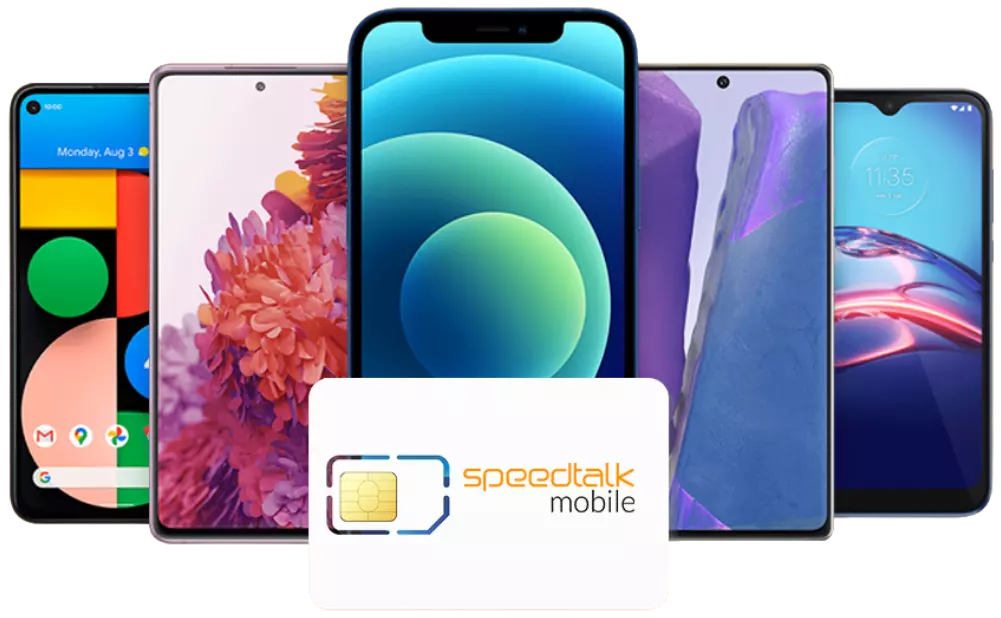
Wireless Plan Services at a fraction of the cost with NO Contract on the nations fastest 5G/4G LTE network for hundreds less per year.
Frequently Asked Questions
Can I bring my own Phone/Device to use with SpeedTalk Mobile services?
Definitely! With SpeedTalk Mobile GSM-T service you can use any unlocked GSM phone, all you have to do is make sure it operates on our frequencies to begin using our service.
GSM-T: T-Mobile Phone or AT&T unlocked or unlocked GSM device
CDMA-S: Sprint compatible phones
CDMA: Verizon compatible or other unlocked CDMA devices
Check Device Compatibility
What is the difference between "Approved" and "Unsupported" Phones?
Because there are many different devices being used with SpeedTalk Mobile services, we have only tested a segment of those and they are considered “Approved” since they work in our system consistently without problems. With these handsets we are able to provide more support. The “Unsupported” devices are other GSM devices that were not specifically made to work with our current carrier and while they may work we are unable to offer the same support. Please note that features of unsupported devices such as high speed date may not be available with SpeedTalk Mobile.
How do I cancel SpeedTalk Mobile?
You will be able to cancel at any time by submitting a disconnect request to our support team online. Click here
However, if you have consumed more than 30 minutes, 30 text, or 30mb of data within 14 days of the plan cycle. Your purchase will be considered buyer’s remorse and you will no longer qualify for a refund.
Where do I purchase a SIM card?
To obtain a SIM card from SpeedTalk you will have to purchase a plan in the GSM-T network. If you are looking for a plan for your phone make sure your phone is compatible with the GSM-T network. Go HERE to read more.
If you are looking for a SIM card for an IoT device you can choose any plan from our GPS tracker page. Don’t let the GPS title deter you. We guarantee you that our plans under this page will work with any IoT device as long as your device is GSM technology.
I lost my SIM card. How can I replace it?
We will send you a new SIM card free of charge, You will only have to pay for shipping.
Go HERE and enter the phone number that is associated with the lost SIM card and make sure you enter the correct address where you would like us to ship the new SIM card.
Will I be able to receive calls on any SpeedTalk Mobile cell phones if I run out of airtime?
No, you will need to purchase additional air time on your mobile numbers in order to make and receive calls.
Set up your voicemail on your SpeedTalk GSM-T SIM (GSM-T Network)
1. Press and hold the 1 on your phone’s dial pad to call and connect to your voicemail.
2. If prompted for a password the first time you access your new voicemail account, use the last four digits
of your mobile number.
3. When prompted, create your new password. Your password can be any 4- to 7-digit code. A good password is
one that’s easy for you to remember but hard for others to guess.
4. When prompted, record your greeting and name. Your voicemail is now ready to use.
Change your greeting message on your SpeedTalk GSM-T SIM (GSM-T Network)
1. Press and hold the 1 on your phone’s dialpad to call and connect to your voicemail.
2. Press the * key to access the main menu.
3. Press 3 to access the Greeting menu.
4. Press 2 to record a new greeting. If you’re replacing an existing greeting, the existing recording will
play first.
5. When prompted, record your greeting and press the # key when you finish recording.
6. Press 1 to set your recording as your voicemail greeting.
Change your voicemail password on your SpeedTalk GSM-T SIM (GSM-T Network)
By default, you won’t be asked for your password when checking your voicemail from your phone.
If you have your outgoing caller ID blocked, you’ll be required to enter your password when you call your voicemail from your phone. This is for the security of your account, since the voicemail system doesn’t recognize your mobile number when it’s blocked. GSM-T Network recommends that you turn on your voicemail password for added security.
To change your password from your phone:
1. Press and hold the 1 on your phone’s dialpad to call and connect to your voicemail.
2. Press the * key to access the main menu.
3. Press 5 to access the Password Security menu.
4. To change your password, press the 1 key. A good password is one that’s easy for you to remember but hard
for others to guess.
Is it possible to call voicemail from a landline to your SpeedTalk GSM-T SIM (GSM-T Network)?
Check your messages from your landline:
Call 1-805-637-7243 or 1-845-301-2123.
When prompted, enter your 10-digit mobile number.
Interrupt the voicemail greeting by pressing the * key.
When prompted, enter your voicemail password.
Follow the menu prompts to check your voicemail messages.
Note: Any applicable landline long-distance fees are the responsibility of the account owner.
Where can I find international rates?
For the most up to date international rates check our International Calling page.
What do I do if accounts on SpeedTalk Mobile cell phones are suspended?
If your plan is suspended, you may be out of minutes. If you are out of minutes, simply add minutes to your account to restore service.
What if I don't want mobile cell service anymore?
You will have service until your minutes are used up or when you reach the expiry date on your account (whichever comes first). If you do not want to continue your SpeedTalk Mobile service, simply do not purchase additional service or you can contact us to disconnect your service, once your number is disconnected we will not be able to retrieve your number.
What if I travel outside my area code?
You may travel anywhere within the United States (domestic and international) roaming is not available.
Is there coverage in all Puerto Rico?
There should be coverage in areas of Puerto Rico. It shows to have coverage. You would just need to search by a specific city or area in our coverage map.
In our experience when traveling in other provinces/cities in Puerto Rico the coverage does have a tendency to be intermittent. So just something to be aware of.
What are the Frequencies/Bands that Speedtalk Mobile (GSM-T Network) uses?
Company Name: SpeedTalk Mobile
Host Network: T-Mobile
Network GSM/UMTS/HSPA+
Service Supports: 2G, 3G, 4G LTE, 5G
3G WCDMA Bands: 2 / 4 / 5
3G Frequencies 1900, 1700/2100
4G LTE Bands: 2 / 4 / 12
4G LTE Frequencies: 1900, 1700 def, 700a
T-Mobile offers WCDMA (UMTS) with HSPA+ 3G voice and data over most of their network, using the 1700 MHz
(AWS) and 1900 MHz (PCS) bands.
Their 4G LTE network uses bands 4 (AWS) and 12 (Lower 700 MHz). They also offer GSM/EDGE2G service in the 1900
band.
How do I Program Data/MMS on SpeedTalk Mobile for (GSM-T Network)?
Please enter APN settings below & power cycle your phone after these new settings are entered:
- APN: wholesale
- Proxy: blank
- Port: blank
- MMSC: http://wholesale.mmsmvno.com/mms/wapenc
- MMS Proxy: blank
- MMS Port: blank
- Authentication Type: blank
- Type Blank blank
- IPV4
- APN TYPE: default,mms,supl (Make sure to include the commas)
Where can I find international rates?
For the most up to date international rates check our plans page.
What happens if I don't talk for a whole minute or drop a call?
All calls on our cell plans are rounded up to the next minute. For example, if you talk for 1 minute and 30 seconds, you will be charged for 2 minutes. Dropping calls is unfortunate, but it does happen. You will only be charged for any airtime you have used while the connection was active, and there is no extra charge after the call ends. If it happens often, please contact Customer Service for assistance.
What do I do if I lose my mobile cell phone?
If your phone has been lost or stolen; you can report it missing by calling Customer Service at 1-866-701-5577.
How long does it take for my phone to be delivered in the mail?
Mobile phones for sale orders placed online are shipped and may take 3-10 days based on the selected delivery time frame. Most orders placed before 2 PM PST, Monday through Friday, will be shipped on the same day. Orders placed after 2 PM or over the weekend will be shipped on the next business day. If you do not receive your phone within 10 days, please contact Customer Service for assistance and a tracking number. Note: Express Overnight Shipping orders should be delivered by the next day if order is placed before 2 PM. If the order is placed after 3pm, it should be delivered on the second day.
Is my SpeedTalk Mobile Phone covered under any warranty?
We make no express warranty regarding the service or the device.
Am I in any kind of contract with SpeedTalk Mobile?
No, you are not into any kind of contract with SpeedTalk mobile, because our service standards and saving will always keep you happy, you can call anytime and cancel your service with us.
What is Mobile Wallet?
Mobile Wallet was created as a safety net for our customers in case they go over their plan allowance within
the plan cycle and allows us to operate as a NO CREDIT CHECK / NO CONTRACT service.
If Unused, your mobile Wallet’s account balance never expires. Very different from your plan balance and
whenever you go over your plan ALLOWANCE, any overages will be deducted from the mobile wallet based on the
plan rates.
Once the mobile wallets account balance hits lower than $2, We
will replenish your Mobile Wallets account balance by charging the credit card on file.
How do I make an international call with SpeedTalk Mobile?
Simply dial the number you need: 011 followed by your country code, then your area code and then the phone number and press the call button. Your would need to have separate international balance to make such calls (regular Air-Time charges will apply on this event).
Can I keep my existing phone number and bring it to SpeedTalk?
Yes, we can PORT-IN/Transfer your number to our SpeedTalk Network. Below are the requirements to port in your number to SpeedTalk Mobile:
*Check Port Eligibility (Is your number eligible to be ported in)
*Check Coverage
*Number must be active with losing carrier (after you receive our SIM card, we recommend port to be started 5
business days min prior to cancellation date)
*SpeedTalk Mobile SIM CARD – (Unused – Cannot have a mobile number activated to it)
*SpeedTalk Mobile Plan – The plan which will be used to activate the service.
How long does it take to port my number to SpeedTalk Mobile?
Most port requests from other wireless providers are completed within 1 to 72 business hours. However, requests from landline providers may take up to 10 business days.
Can I make and receive calls during the number porting process?
In most cases, you should be able to make and receive calls. However the calls may be going through your old provider or blended calling since only one handset may be able to receive calls.
*Both your old and new service providers’ handsets are partially active.
*Both handsets may be able to place outgoing calls, but only one handset will be able to receive incoming
calls.
*We recommend you keep both your old and new handsets with you until the period of dual service has
passed.
*If your blended service lasts for more than 24 hours please contact our Customer Support
Reasons why a number port in may be delayed?
In most cases port in requests are delayed due to missing customer information or the account information not matching the old service provider’s records.
Can I stop the number porting at any time?
You may be able to cancel the request as long as the number port has not been completed. If you would like to cancel a port contact our Customer Support Team at 1-866-701-5577. *When porting out from SpeedTalk Mobile you must contact the new provider for assistance. A port out will take up to 24 hours as it is a manual process at this time.
Does Speed talk Mobile contact me if the port in request is delayed or requires updating to complete?
At this time SpeedTalk Mobile does not normally contact the customer if the request is delayed or requires updating, however we may attempt to email you with the port status to the provided email address on the port-in request.
What does my service include?
The SpeedTalk Mobile service includes access to Voicemail, Caller ID and Call Waiting with all cell plans, with exceptions to GPS Tracker, Alarm SIM, and Smartwach plans. Airtime charges and any applicable international rate for both numbers dialed will apply.
What do I do when I run out of airtime with any SpeedTalk Mobile prepaid cell phones?
You visit our website www.stkdev.localhost and make an online payment, or you can call Customer Support to buy more airtime. Online payment methods include Credit or Debit Cards, Visa or MasterCard.
How can I check the remaining balance on my LowCost or Pay As You Go plan?
From SpeedTalk Mobile Phone dial 611 our customer service team is available at your service and is designed to give you the information you need. You can also login to Customer Login online.
Will I be able to keep my remaining balance on my Pay As You Go plan?
Yes, you can keep (rollover) your remaining PayAsYouGo balance ONLY if you refill your account before the current plan expires.
If you do not refill before the expiration date, your remaining balance will be removed from your
account.
We rollover for 6 refill balances, any old balance will be removed.
APN TYPE : default,mms,supl (Make sure to include the commas) GPS Tracking/Alarm System/iwatch device APN Setting Information for (GSM-T Network)
APN: wholesale
MMS URL: http://wholesale.mmsmvno.com/mms/wapenc
MCC MNC: 310 260
If APN still didn’t work, try with username: wholesale
Quick Phone Programming for my (CDMA Network)
Dial *22890 (Device Programming)
Dial *22891 (PRL Update)
Dial *86 (Voice mail setup)
iPhone Device Programming for my (CDMA-S Network)
Make sure to Enable WIFI and Disable Cellular DATA and make sure you connect the IPhone to WiFi connection.
##CLEAR# : On the keypad dial #25327# then tap on Call
Device Network Reset : Settings>>General>>Reset Network Settings
(this will delete all network settings, returning them to the factory defaults)
##UPDATE# : On the keypad dial ##873283#
Android Phone Programming for my (CDMA-S Network)
Make sure to Disable WiFi and Enable Cellular DATA
Update Profile : The update Profile function should always be tried first to resolve failed hands-free
activation’s
##SCRTN# (72786): (for Galaxy Nexus phones dial *#*#72786#*#*)
Enter your 6-digit MSL #, Please refer to the the Activation confirmation email which include your MSL ,MDN,
MSID information.
Sprint Manual Device Programming (CDMA-S Network)
• Dial ## followed by the six-digit MSL code for the handset and one additional #. The final # will not
appear on the screen. Example: ##123456#
• On the Service Programming screen, tap Edit.
• Enter the Phone Number and tap OK.
• Enter the MSID in the Modify MSID field and tap OK.
Note: Refer to the Activate your new phone confirmation email or programming instructions page for the MSL and
MSID codes.
• Tap Done.
The handset will reboot.
The handset is now programmed!
Do I need to do anything for the MMS to work on my (CDMA-S Network)
Yes, you must manually update MMS URL for Picture Messaging on your (CDMA-S) device to work. Follow below
steps:
• Dial ##DATA#. (for Galaxy Nexus phones dial *#*#DATA#*#* )
• You will see Service Program and below it, View, and Edit.
• Use the navigation key to move the highlight bar to EDIT, then press OK button.
• Locate MMSC URL and/or MMS Picture Mail URL (each model is different, check under Others, Advanced, Data,
and/or Data Profile)
• Edit the MMSC and/or MMS Picture Mail URL to be http://mms.plspictures.com
• The phone will power off and restart.
How long will it take to sync and update GPRS and Data Setting with my device?
After SIM activation it might take upto 24-72 hours for the GPRS and data settings to sync and update with your device (phone or Alarm system or smart watch or gps tracking device…etc). Make sure you turned ON the power in your device, and place it in a good reception area.
What is the Auto Recharge?
*Auto Reload allows you to use your debit/credit card to automatically renew your plan with SpeedTalk Mobile. A credit card or debit card is required to purchase your SpeedTalk Mobile service. Your date of purchase becomes your anniversary date. Each month, on your anniversary date, your payment card on file will be charged for the current’s month service and your account will be updated. To unsubscribe form auto recharge please contact our Customer Support.
Will I be charged for calling 611 for pre-paid cell phones?
Calls to 611 are free and connect you to customer service.
How do I check my remaining airtime on my mobile cell phone?
From SpeedTalk Mobile Phone dial 611 our customer service team is available at your service and is designed to give you the information you need. You can also call 1-866-701-5577 from a land line and speak to a Customer Service Agent.
GPS Tracking / Alarm System / smartwatch device APN Setting Information:
APN: wholesale
MMS URL: http://wholesale.mmsmvno.com/mms/wapenc
MCC MNC: 310 260
If APN still didn't work, try with username: wholesale
New Customer Offers
Our Top Value Plans lets you try out Our Mobile Services At The Lowest Price Possible!
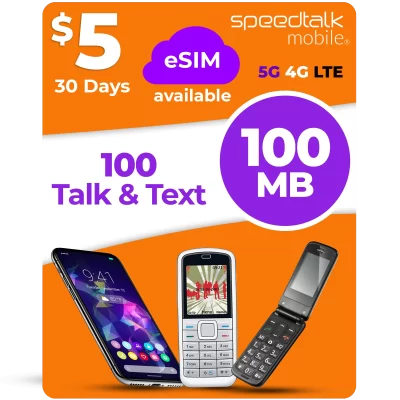
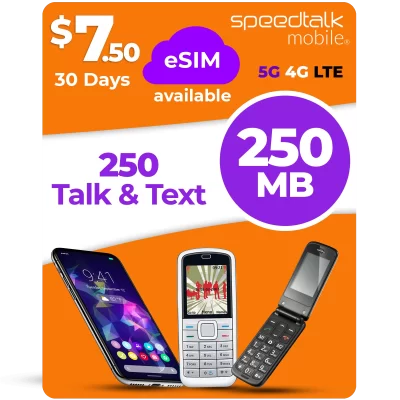
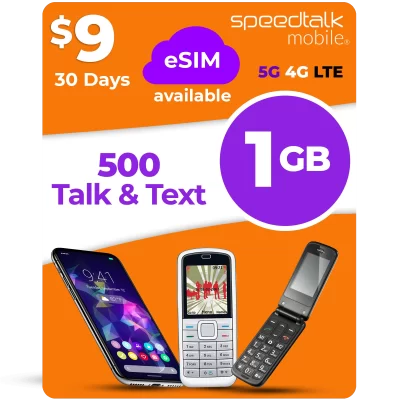

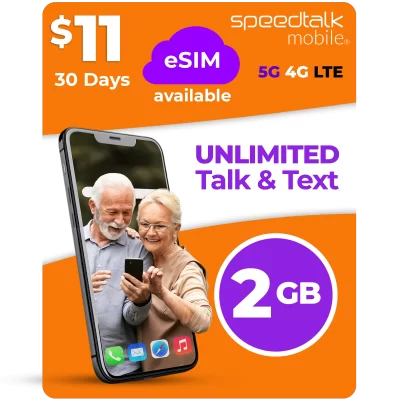
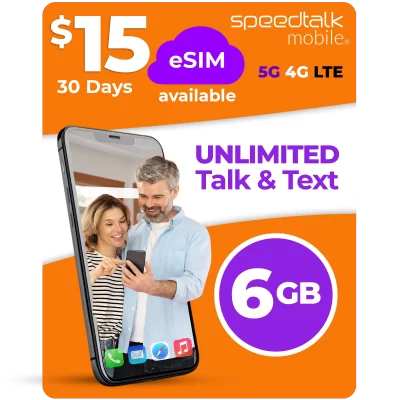
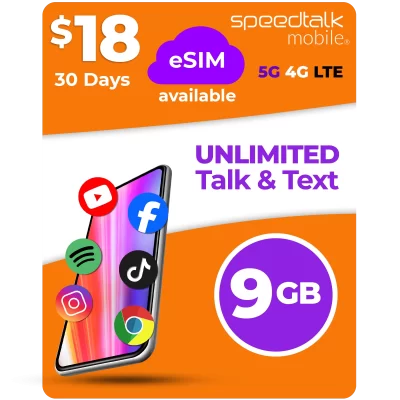

Bring Your Device To SpeedTalk Mobile!
- Save Money By Keeping Your Device.
- No Carrier Commitments or Contracts
- Keep Your Number Or Get A New One.
Wireless Service Plans.No contract, No credit checks, and 100% money-back guaranteed.
Coverage you can count on!
Top Value Unlimited Plans
Our Top Value Plans Lets You Try Out Our Mobile Services At The Lowest Price Possible! The best SpeedTalk Mobile Unlimited Plans listed out just for you.
Pay As You Go Phone Plans
Flexible wireless plans for everyone. We realize that not all plans are created equal and we each use our wireless devices for different reasons. That is why we offer a wide range of plans to fit anyone's needs.
Smartwatch Plans
Today's smartwatches require a cellular signal to enable features such as calling, texts, and tracking capabilities. Whether you're looking for wearable connectivity or service for your GPS tracker for kids or pets, we've got you covered!
Broadband Plans
Our Cellular Broadband DATA only plan is designed for those in need of High Speed 4G LTE DATA for their WiFi, LTE Router, or Personal Hotspot. SpeedTalk Mobile’s Broadband plans are compatible with any GSM Device
Alarm System Plans
Monitor your home, car, or business remotely so that your alarm system can call for help in case of an emergency.
GPS, OBD, Tracker Plans
The majority of GPS trackers, OBD devices, or even dash cam for cars now require SIM cards to achieve connectivity, meaning that if you own a GPS device you will need a wireless plan to be able to track, monitor, and navigate.
Why Choose Us
Dependable Wireless, And Affordable Service!
SpeedTalk Mobile®
4G / 5G NATIONWIDE NETWORK
You get premium wireless service on the nation’s largest 4G / 5G network, for less than what big wireless companies charge.
FLEXIBLE WIRELESS PLANS
Choose the monthly usage amount. That is right! If you are not using it, you can switch to a lower plan at anytime.
BYOE (BRING YOUR OWN EVERYTHING)
Your unlocked device and current phone number are always welcome at SpeedTalk Mobile®
NO CONTRACTS!
NO COMMITMENTS!
There is never any contracts or commitments. Start and continue service when you want.